Drawing a Wire
Drawing a Wire
-
Hover over an output pin on a component — a small handle circle will appear at the pin location.
-
Click and drag from the output pin toward the target component.
-
Release the mouse over an input pin of the destination component. A wire is created automatically.
-
The wire is labeled automatically: wire_0, wire_1, wire_2, and so on in sequence.
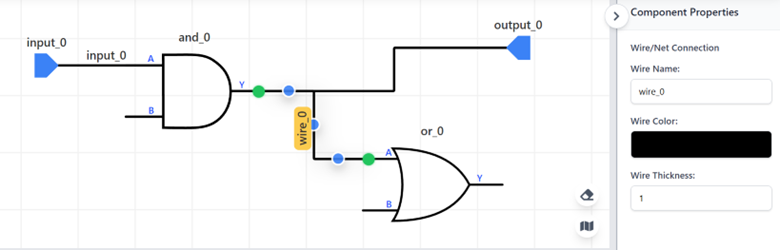
Note: If you connect from an input port component (labeled with a net name like clk or data), the wire automatically inherits that port's name instead of a generic wire_N label.